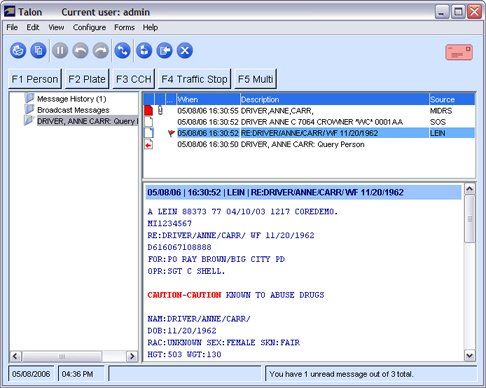
The Manage Messages view is a new view introduced in Talon. It lets the user quickly find the responses that are associated with a particular query.
For each query requested, a folder is created on the left hand side of the screen. Clicking a folder will show you the query and all responses to that query on the right hand side of the screen. Selecting an item in the list will display the details of the message.
Folders
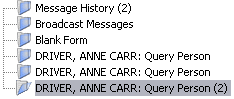
When working in the Manage Messages view, a folder is created for each query you submit. The folder name will include some of the information submitted and the name of the query submitted. At the end of each folder name, will be a count of how many unread messages are contained in the folder.
Available Folders
The following describes the different folders in the Manage Messages view.
|
Message History |
Displays all the messages in the message history table on the right side of the screen. |
|
Broadcast Messages |
Displays any broadcast/administrator messages received.
NOTE: The Broadcast Messages folder will not be displayed unless at least one broadcast message is received. |
|
LEIN |
Displays any received LEIN messages. |
|
Query |
Displays a query folder for each query you submitted. The folder name will include some of the information submitted and the name of the query submitted. At the end of each folder name, will be a count of how many unread messages are contained in the folder.
NOTE: A query folder will not be created until at least one response arrives for the query. |
Actions
|
View Messages |
Select a folder. The right hand side of Talon will display the Message History table. Clicking a message in the table will display the details of the message. NOTE: A folder will not be created until at least one response arrives for the query. |
|
View Broadcast/Administrator Messages |
Select the Broadcast Messages folder to view broadcast messages. |
|
Delete All Messages in a Folder |
Select the folder and right-click with your mouse. You will be asked to confirm the deletion. Alternatively, you can select all the messages in the message table and press the Delete key. NOTE: The Message History and Broadcast Messages folders cannot be deleted. |
Message History
Message List, Manage Message and Case views all use the same Message History table. Please see the Message History topic for more details.