The LEIN Options window
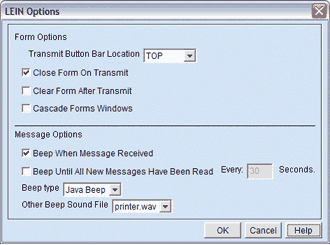
The LEIN Options window from the Configure menu contains configuration options for message and form preferences.
|
The LEIN Options window |
|
Form Options
|
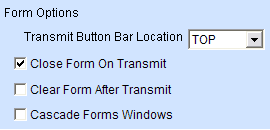
Transmit Button Bar Location |
Use this option to change where the transmit button is located within a form. Choices are Bottom or Top. |
|
Close Form on Transmit |
Tells Talon whether or not to close the form window when the request is transmitted. Turning off this option can be helpful if you need to run the same LEIN inquiry multiple times in a row. |
|
Clear Form after Transmit |
Tells Talon to clear the form of its current values when you transmit it. |
|
Cascade Forms Windows |
If this option is set, when multiple form windows are opened they will be cascaded on top of each other. If this option is off, new forms will be displayed in the center of the screen. |
Message Options
|
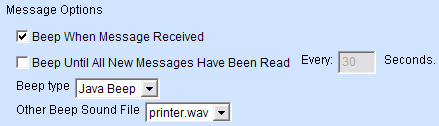
Beep When Message Received |
Use this option to notify you when a message is received. Select the appropriate beep type for your PC. |
|
Beep Until All New Messages Have Been Read |
Use this option to remind yourself you have unread messages. By default it will beep every 30 seconds until all new messages have been read. |
|
Beep Type |
Select the type of beep you wish to hear when a message is received. |
|
Other Beep Sound File |
Select the sound file you would like to play when a message is received. A list of options will be delivered from the MultiBridge server. If the server does not contain any sounds, this option will not be available. |