The LEIN Admin Options window
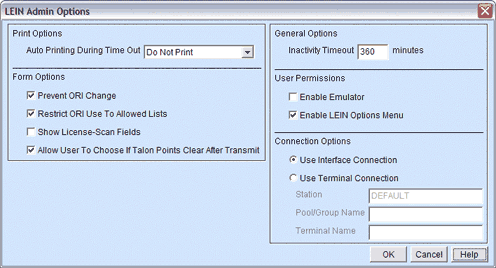
The LEIN Admin Options window from the Configure menu contains administration configuration options. These options are only available to users who have Client Administrator rights for Talon.
|
The LEIN Admin Options window |
|
Print Options

|
Auto Printing During Time Out |
This option allows you to tell CTCBridge how to handle auto printing of incoming messages if the user has timed out due to inactivity. The options are:
|
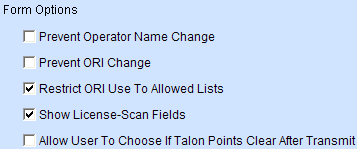
Form Options
|
Prevent Operator Name Change |
Prevents the end user from changing the Operator Name field in the LEIN forms. |
|
Prevent ORI Change |
Prevents the end user from changing the value in the ORI field in the LEIN forms. If the user is presented a list of ORIs, they will still be able to choose from the list. |
|
Restrict ORI Use to Allowed Lists |
If this option is set, users will only be able to select or enter an ORI that is in the list of Allowed ORIs or Allowed Agency ORIs for that user. |
|
Show License-Scan Fields |
Allows the end user to use a scanner to scan the license on a magnetic strip Driver License/Identification card to fill in fields 11: and 7: on forms that require the operator's license number. NOTE: The Scan License option on forms will only work if the magnetic strip on the license follows the AAMVA National Standard for the Driver License/Identification Card. Michigan driver's license follow this standard. |
|
Allow User To Choose If TalonPoints Clear After Transmit |
Allows the end user to configure if Talon should clear the form of its current TalonPoint selection when you transmit it. |
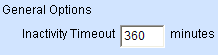
General Options
|
Inactivity Timeout |
Times out the client after the specified number of minutes and forces the user to log on again. The default value is 360 minutes. NOTE: According to state security policies, some type of inactivity timeout is required. |
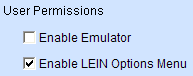
User Permissions
|
Enable Emulator |
If set allows user to use the Emulator located under the View menu. |
|
Enable Options Menu |
If set allows users to access the Options menu item located under the Configure menu. |